
Published: March 16, 2021 |
Updated: February 17, 2026 |
Reading Time: 6mins |
By: Sean Sullivan
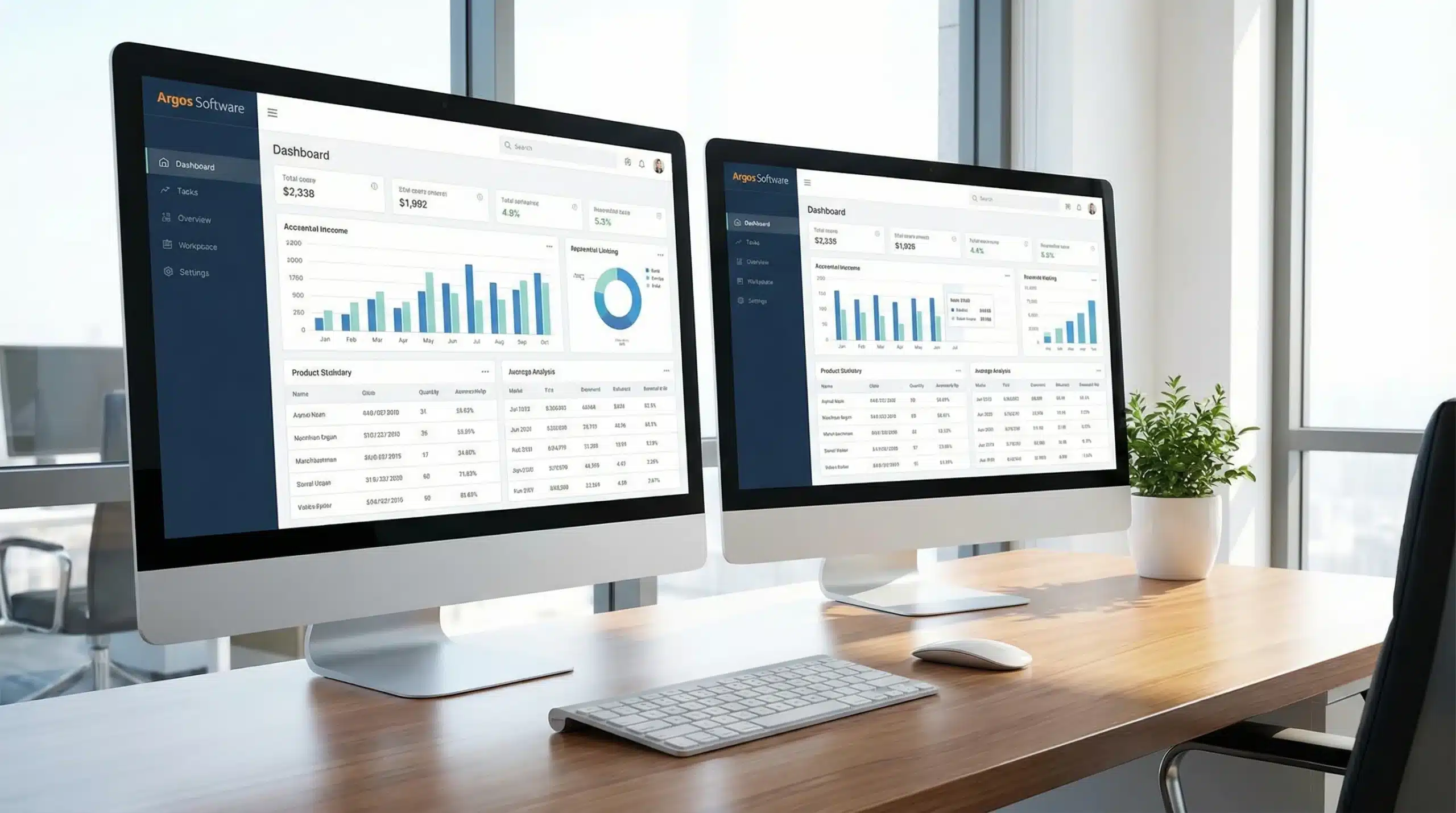
Key Warehouse Dashboard Metrics That Drive Decisions
Effective warehouse management relies on tracking the right key performance indicators (KPIs) through your dashboard system. Order accuracy stands as perhaps the most critical metric, measuring the percentage of orders shipped without errors. Industry benchmarks show top-performing warehouses maintain 99.5% accuracy rates, while the average hovers around 97%. Even a 1% improvement in accuracy can significantly reduce costly returns and boost customer satisfaction.
Pick rates directly impact labor costs and throughput capacity. This metric tracks how many items workers pick per hour, with rates varying by warehouse type—e-commerce fulfillment centers typically see 100-200 picks per hour, while wholesale operations may achieve 50-100. Monitoring pick rate trends helps identify training needs and process bottlenecks before they affect customer delivery times.
Inventory turnover reveals how efficiently your warehouse converts stock into sales. Higher turnover ratios indicate better cash flow and reduced carrying costs. Most warehouses target turnover rates between 6-12 times annually, though this varies significantly by industry. Dashboard alerts can highlight slow-moving inventory requiring clearance strategies.
Dock-to-stock time measures receiving efficiency by tracking how long inventory sits between arrival and availability for picking. Best-in-class operations achieve same-day stock availability for 80% of receipts. Extended dock-to-stock times often signal staffing issues or inadequate receiving processes.
Labor productivity encompasses multiple metrics including picks per labor hour, cases per hour, and cost per shipment. These interconnected measurements help optimize staffing levels and identify high-performing processes worth replicating across your operation. Real-time tracking enables immediate adjustments to maintain productivity targets throughout each shift.
Real-Time vs. Historical Dashboard Views
Modern warehouse operations require both real-time operational dashboards and historical trend analysis views to maximize effectiveness. Real-time dashboards serve as your warehouse’s nerve center, displaying live data that enables immediate response to developing issues. These operational views track current pick queue status, equipment downtime, labor allocation, and shipment delays as they occur. When a conveyor system fails or pick rates drop below threshold, real-time alerts allow supervisors to redirect resources instantly, preventing minor issues from becoming major disruptions.
Live dashboards excel at monitoring service level agreements and daily targets. Warehouse managers can observe order fulfillment progress throughout the day, ensuring peak periods don’t overwhelm capacity. Real-time inventory visibility prevents stockouts during high-demand periods, while immediate labor productivity tracking helps maintain consistent performance standards across all shifts.
Historical dashboard views provide the strategic perspective necessary for long-term planning and continuous improvement. These trend analysis tools reveal seasonal patterns, equipment performance cycles, and productivity improvements over weeks, months, or years. Historical data helps identify the root causes behind recurring issues and validates the effectiveness of process changes.
Strategic dashboards support budget planning by showing labor cost trends, space utilization patterns, and inventory carrying costs over time. They reveal which process improvements delivered measurable results and highlight areas requiring additional investment or attention.
A comprehensive WMS feeds both dashboard types seamlessly, automatically collecting transactional data that populates real-time operational views while simultaneously building the historical database for trend analysis. This dual approach ensures warehouse managers can both fight today’s fires and build tomorrow’s improvements, creating a balanced management strategy that addresses immediate needs while supporting long-term operational excellence.
Choosing the Right WMS Dashboard Solution
Selecting an effective WMS dashboard solution requires evaluating several critical capabilities that directly impact your warehouse management effectiveness. Customization flexibility tops the priority list, as different warehouses have unique operational requirements and KPIs. Your dashboard platform should allow easy modification of widgets, metrics, and layouts without requiring extensive IT support. Look for drag-and-drop interfaces and configurable alert thresholds that adapt to your specific business rules.
Drill-down capability transforms high-level metrics into actionable insights. When your dashboard shows declining pick rates, you need the ability to investigate by zone, worker, or time period to identify root causes. Advanced drill-down features let managers click through summary data to examine underlying transactions, individual performance records, and detailed exception reports.
Role-based views ensure each team member sees relevant information without data overload. Warehouse supervisors need different metrics than executives or receiving clerks. Your solution should support multiple user profiles with customized dashboards that match job responsibilities and security requirements.
Mobile access has become essential for modern warehouse management. Managers spend significant time on the warehouse floor and need dashboard access from tablets or smartphones. Mobile-responsive dashboards enable real-time monitoring and decision-making regardless of location within your facility.
Integration capabilities determine how effectively your dashboard connects with existing systems including ERP platforms, transportation management systems, and automated equipment. Seamless data flow eliminates manual updates and ensures accuracy across all business functions.
The Argos WMS platform addresses these requirements through comprehensive dashboard functionality designed specifically for warehouse operations. Built-in customization tools, multi-level reporting capabilities, and seamless integration with existing business systems provide the foundation for effective warehouse intelligence without the complexity of standalone business intelligence solutions.
Why Dashboards Matter
Dashboards are an effective way to monitor your business and see trends at a glance that might otherwise take you months to notice. We’re presenting a free customer webinar on building and using dashboards effectively on Thursday, March 18th. Learn how to create dashboards and see examples of dashboard charts, tables, gauges, and other graphical reports that have helped other Argos customers.
The webinar will review examples of informational, operational, tactical, and strategic reports that can be added to your Argos dashboard. You’ll also learn some of the ways companies can focus or limit dashboard views of company data to specific people or departments, clone and create additional business intelligence dashboards, and make the most of the real-time information with several dashboard sharing options.
Argos Software offers a number of business intelligence tools including modules for creating effective dashboards and advanced reporting.
To register for the upcoming customer webinar, or to learn more about Argos Software’s business intelligence offerings, please contact your Argos representative.
Warehousing, accounting, purchasing, and order management—integrated software that grows with your business.
Request a Demo

Frequently Asked Questions
What types of data visualizations can I include in my dashboard?
Dashboards can include various visualization types such as charts, tables, gauges, and other graphical reports. The specific options available depend on your data and business needs. Charts work well for trends, gauges show performance metrics, and tables display detailed information in an organized format.
How can I control who sees specific dashboard information?
Most dashboard platforms allow you to focus or limit dashboard views to specific people or departments based on their roles and permissions. This ensures sensitive company data is only visible to authorized personnel while still providing relevant insights to each team member.
Why do dashboards help identify trends faster than traditional reports?
Dashboards present data visually in real-time, making patterns and trends immediately apparent at a glance. Traditional reports require manual analysis and may contain outdated information, while dashboards continuously update and highlight changes that might take months to notice through conventional methods.
When should I create multiple dashboards for my business?
You should create multiple dashboards when different departments need different views of data or when you have distinct business functions requiring separate monitoring. Cloning existing dashboards and customizing them for specific teams or purposes helps maintain consistency while meeting varied information needs.
What are the benefits of real-time dashboard sharing options?
Real-time dashboard sharing enables immediate collaboration and faster decision-making across teams. When stakeholders can access current data simultaneously, they can respond quickly to changes, coordinate actions effectively, and ensure everyone works with the same up-to-date information for better business alignment.

Essential Guide to Nursery Inventory Management Software
Discover the benefits of nursery inventory management software to streamline operations and boost productivity.
Essential Cannabis Warehouse Management Strategies
Discover effective cannabis warehouse management with key inventory strategies and software solutions. Optimize your operations today!

Third-Party Logistics Services: Your Complete Guide
Discover how 3PL services can transform your logistics strategy. Learn about warehouse and logistics services, top companies, and future trends.