
Published: April 2, 2020 |
Updated: February 17, 2026 |
Reading Time: 7mins |
By: Sean Sullivan
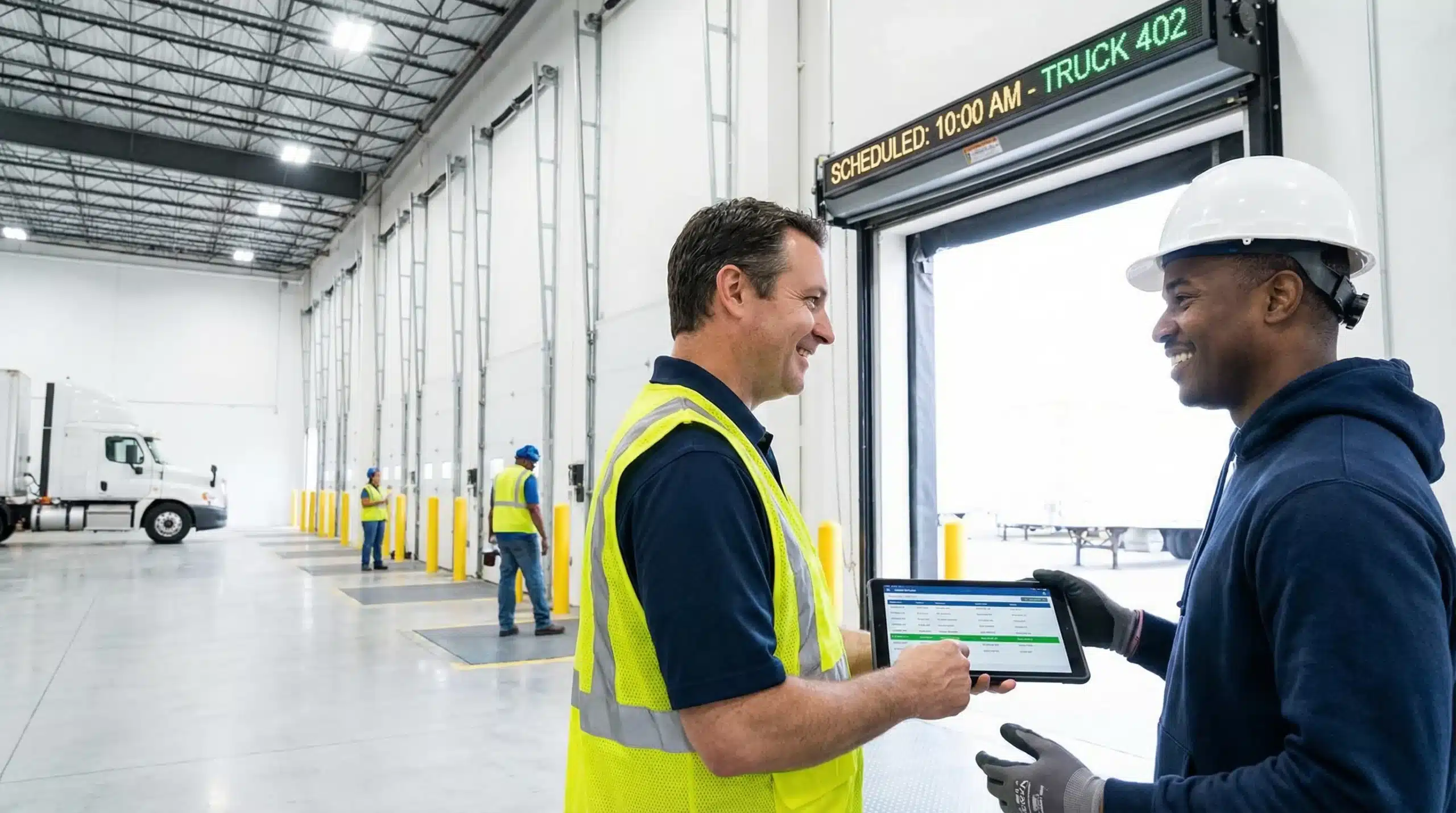
Warehousing and transportation companies are essential businesses during the COVID-19 outbreak. But activity at the dock doors can put workers and facilities at risk. A tool that enables you and your carriers to book dock appointments in real time reduces congestion and helps keep everyone on schedule.
The loading dock is both critical and vulnerable, since dock workers must interact with truck drivers and their cargo. Instead of having drivers arrive and hang around your facility, you can give your customers and carriers the ability to reserve loading dock times to avoid overbooking.
Argos Software’s Dock Door Management module provides two-way communication so you can alert your carriers and customers of any changes, and they can do the same. If drivers are running early or late, for example, they can check the dock door scheduling app on a smartphone or tablet to see if a different time slot is available.
As the warehouse manager, you see a full dashboard of all the scheduled appointments made by carriers and customers. You can easily reschedule appointments, change dock door assignments, and have notifications sent automatically with any changes. Powerful data tools let you easily search, filter and generate reports.
Convenience for Your Customers
Customers will use the Dock Door Management module to let you know when they want to deliver goods to your warehouse. The application displays available times for their drop-off based on your operating hours, holiday schedule, lunch and break schedules, etc.
Because it is integrated with the Argos warehouse management system (WMS), users won’t be able to book times that are not available on your schedule.
When a customer selects their date and time to deliver a shipment, the module assigns a dock door based on how many doors you plan to have open and how many crews you have working that day. If two people choose the same time it will assign different doors to each, if available, or suggest another time that will allow for both shipments.
Successful reservations are added to the master calendar. Confirmations, as well as notifications of any future changes or adjustments, can be sent automatically.
Real-time inventory visibility, barcode scanning, and streamlined operations—purpose-built WMS for your warehouse.
Request a Demo

Convenience for Your Carriers
Your carriers can also log in to the Dock Door Management module to see their transactions and scheduled dock appointments. Each carrier will only be able to see transactions where they are the carrier, so there won’t be any confusion with other carriers.
Like the customer portal, carriers can reschedule appointments if shipments get off track during transport, and they can choose a new time from available time slots. The application might re-assign them to a different dock door if the time is changed, and such notifications can be sent automatically.
In addition to having a clear and organized dock schedule, assigning dock doors in advance and providing real-time updates avoids confusion and reduces the need for person-to-person interactions. This is, of course, of utmost importance as we all work hard to minimize physical contact and limit the transmission of the novel COVID-19 virus.
If you would like more information on the module, or other WMS features from Argos Software, please contact us. We’re working from home and ready to assist you.
Essential Safety Protocols for Scheduled Dock Operations
Implementing a dock scheduling system creates opportunities to establish comprehensive safety protocols that protect both warehouse workers and visiting drivers. When appointment times are controlled, facilities can enforce specific safety measures that might be difficult to manage during chaotic, unscheduled arrivals.
Pre-Arrival Safety Checks and Communication
Scheduled appointments enable warehouses to conduct thorough safety briefings before trucks arrive. During the booking process, carriers can be required to confirm their vehicles meet safety standards, including proper tire condition, functional brake systems, and secure cargo restraints. This pre-arrival verification reduces the risk of accidents during loading and unloading operations.
Safety managers can use the scheduling system to distribute facility-specific safety requirements to drivers in advance. Key information includes:
- Required personal protective equipment (PPE) specifications
- Facility speed limits and traffic flow patterns
- Emergency evacuation procedures and assembly points
- Hazardous material handling protocols
- COVID-19 health screening requirements and social distancing guidelines
Controlled Access and Reduced Congestion
Scheduled dock activity eliminates the dangerous crowding that occurs when multiple trucks arrive simultaneously. By spreading arrivals throughout the day, facilities can maintain safe distances between vehicles and ensure adequate space for equipment operation. This controlled environment allows dock workers to focus on proper lifting techniques and equipment safety rather than rushing through tasks due to time pressure from waiting drivers.
Appointment-based systems also enable facilities to assign specific dock doors based on cargo type and safety requirements. Hazardous materials can be directed to specially equipped bays with enhanced ventilation and spill containment systems, while temperature-sensitive goods are routed to climate-controlled areas with appropriate handling equipment.
Technology Integration for Enhanced Worker Protection
Modern dock scheduling systems integrate with warehouse safety equipment to create comprehensive protection protocols. These technological solutions provide real-time monitoring and automated safety enforcement that goes beyond basic appointment management.
Automated Safety Equipment Coordination
When dock appointments are scheduled, the system can automatically activate safety equipment before truck arrival. Dock levelers, vehicle restraints, and warning lights can be pre-positioned and tested to ensure proper function. This proactive approach prevents equipment failures that could lead to serious injuries during loading operations.
Integration with warehouse management systems allows for automatic verification that appropriate equipment is available and operational for each scheduled appointment. For example, if a shipment requires specialized lifting equipment or contains hazardous materials, the system can confirm that certified operators and proper safety gear are assigned to that time slot.
Real-Time Safety Monitoring and Alerts
Advanced scheduling platforms can monitor dock activity through sensors and cameras, providing immediate alerts when safety protocols are violated. Motion sensors can detect unauthorized personnel in restricted areas, while weight sensors on dock levelers can prevent overloading. These systems generate automatic incident reports and can temporarily suspend dock operations if critical safety thresholds are exceeded.
Mobile connectivity allows safety supervisors to receive instant notifications about potential hazards, enabling rapid response to developing situations. GPS tracking of scheduled vehicles also provides early warning of arrivals, allowing dock crews to complete final safety preparations and clear work areas before trucks enter the facility.
Frequently Asked Questions
What happens if a truck driver arrives early or late for their scheduled appointment?
Drivers can check the dock door scheduling app on their smartphone or tablet to see if alternative time slots are available. The system allows real-time rescheduling based on current availability. If a new time is selected, the system may automatically reassign them to a different dock door and send notifications of the change.
How does the system prevent double-booking of the same dock door?
The Dock Door Management module is integrated with the warehouse management system and automatically assigns dock doors based on availability, crews working, and planned operations. When multiple customers select the same time, it assigns different doors if available, or suggests alternative times that accommodate both shipments without conflicts.
Can warehouse managers override or modify appointments made by customers and carriers?
Yes, warehouse managers have full control through a comprehensive dashboard showing all scheduled appointments. They can easily reschedule appointments, change dock door assignments, and send automatic notifications of any changes. The system provides powerful search, filter, and reporting tools for complete schedule management.
What information do carriers see when they log into the system?
Carriers only see their own transactions and scheduled dock appointments to avoid confusion with other carriers. They can view their delivery schedule, reschedule appointments if shipments get delayed during transport, and select from available time slots. The system maintains privacy by restricting access to carrier-specific information only.
Does the scheduling system account for warehouse breaks and holiday schedules?
Yes, the system displays available appointment times based on your complete operational schedule including operating hours, holiday schedules, lunch breaks, and other scheduled downtime. This ensures customers and carriers can only book appointments during actual working hours when dock crews are available to handle deliveries.

Essential Guide to Nursery Inventory Management Software
Discover the benefits of nursery inventory management software to streamline operations and boost productivity.
Essential Cannabis Warehouse Management Strategies
Discover effective cannabis warehouse management with key inventory strategies and software solutions. Optimize your operations today!

Third-Party Logistics Services: Your Complete Guide
Discover how 3PL services can transform your logistics strategy. Learn about warehouse and logistics services, top companies, and future trends.